
Gyrocode
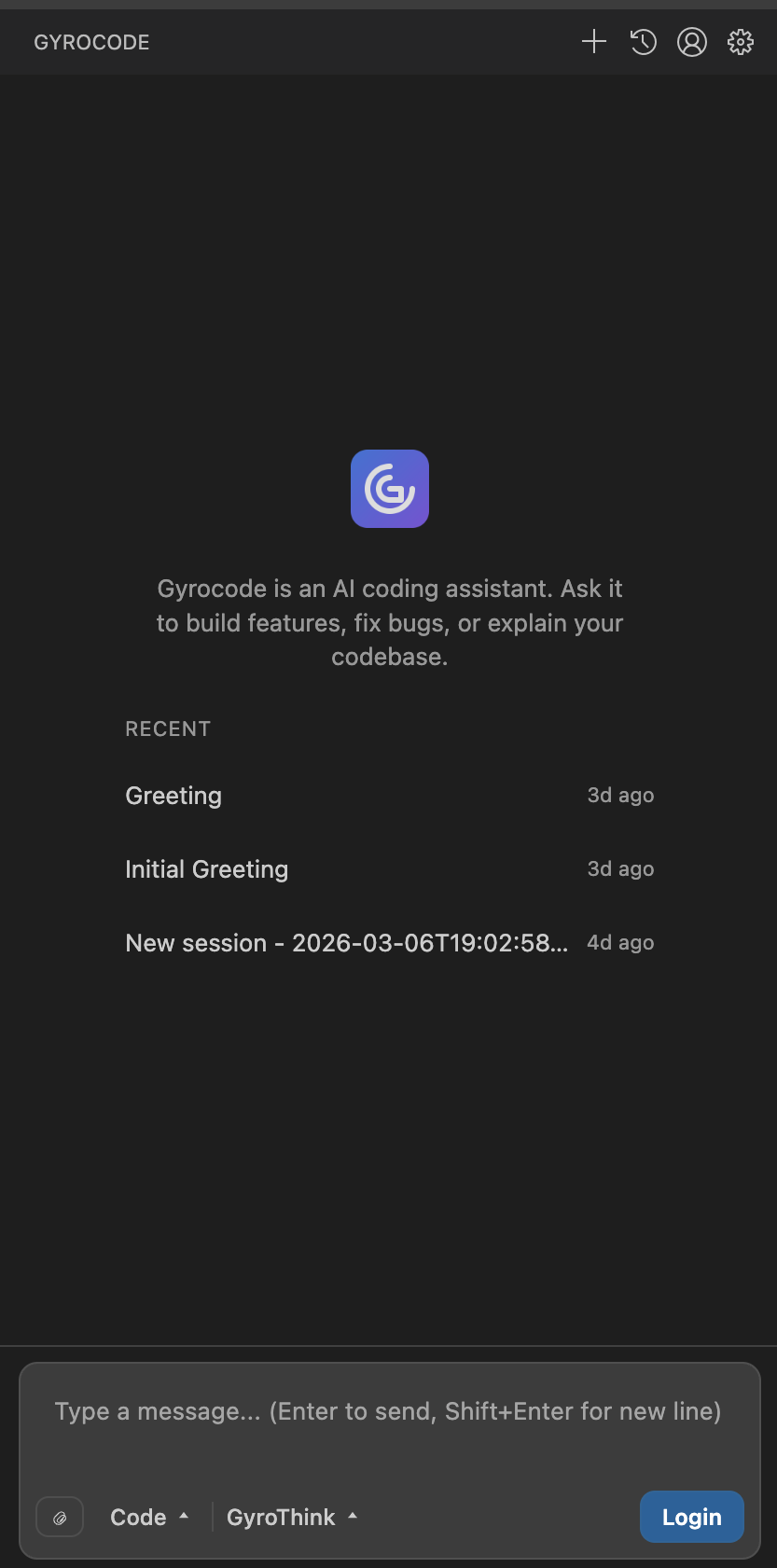
Code at the speed of thought. The AI assistant that perfectly understands your entire codebase.
Built to drive real
engineering work.
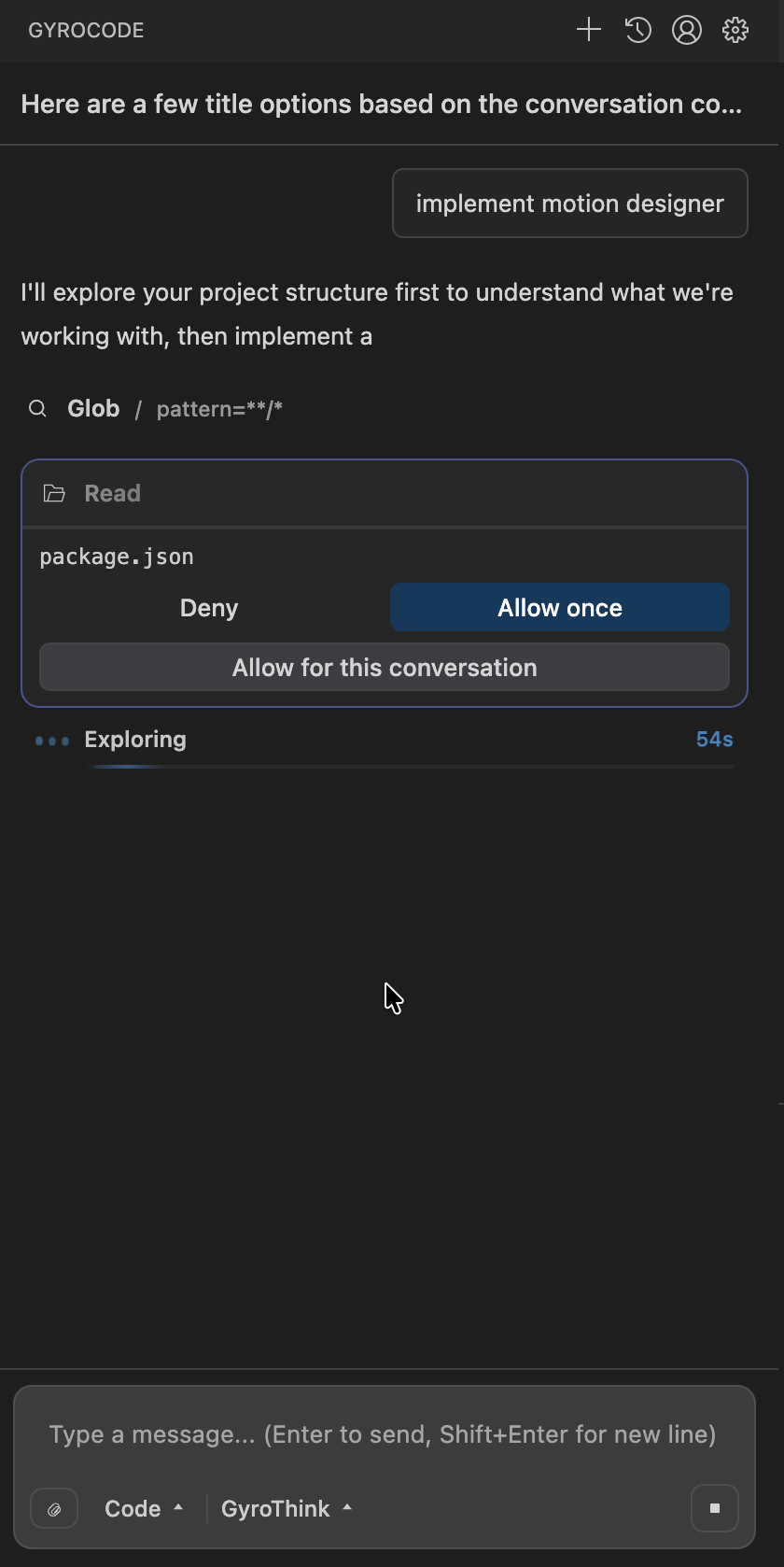
From routine pull requests to your hardest problems, Gyrocode reliably completes tasks end to end — building features, complex refactors, and migrations powered by our proprietary codebase-aware search.
Privacy-first.
Always secure.
Your code never leaves your control. Gyrocode is designed with a privacy-first architecture — your data stays secure and is never used for training. Enterprise-grade security by default.
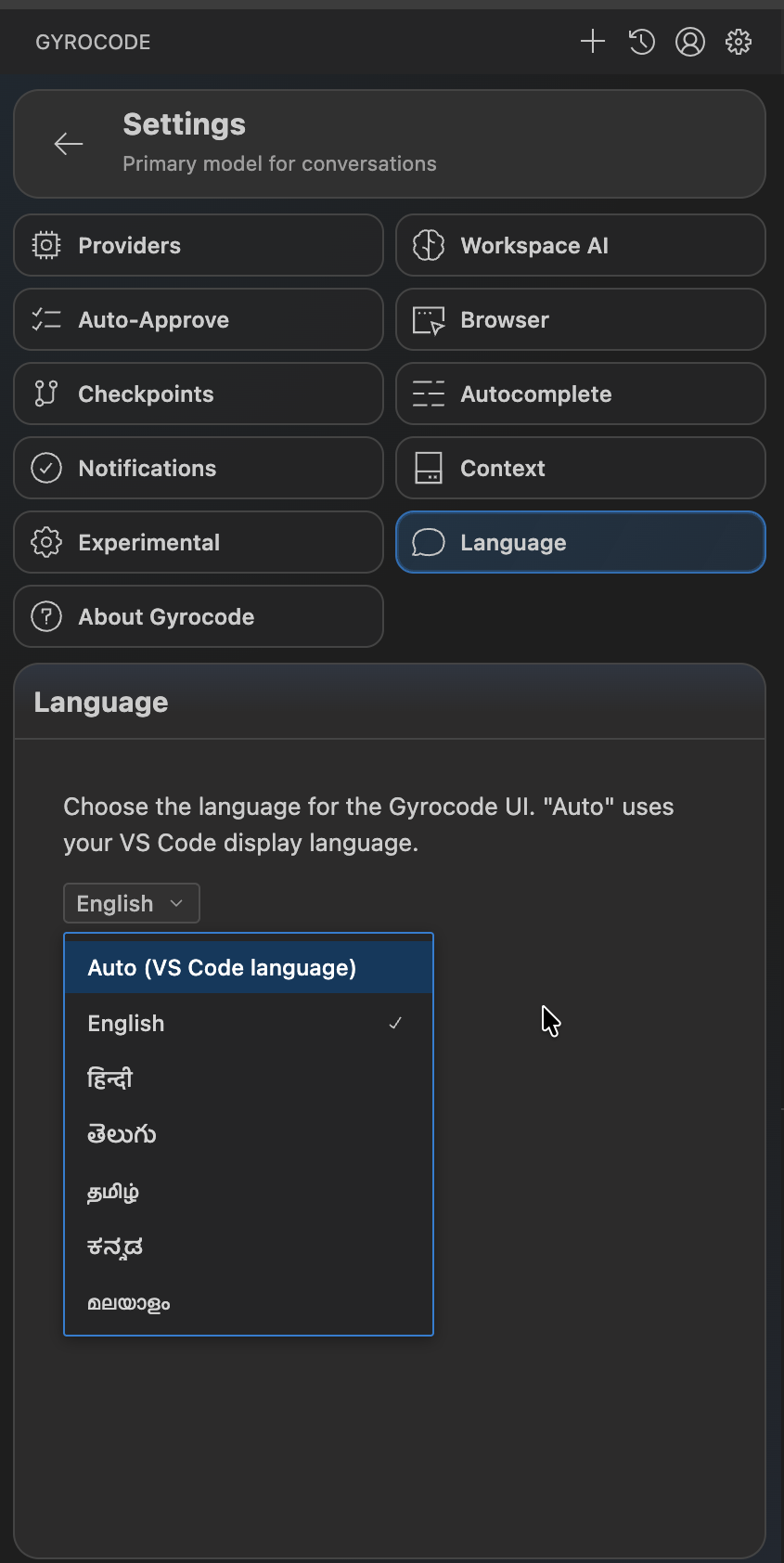
Talk to the system in
your own language.
No need for perfect English. Gyrocode understands your natural language commands and converts them into precise actions within your codebase.
Powerful Features
Everything you need to write better code, faster than ever before.
What is Gyrocode?
Gyrocode is a free, AI-powered coding assistant developed by Gyroscape. It integrates directly into Visual Studio Code as an extension, giving you intelligent code generation, real-time debugging assistance, automated refactoring, and full codebase-aware completions — all without leaving your editor.
Unlike other AI coding tools, Gyrocode understands your entire project — not just the file you're editing. This means smarter suggestions, fewer hallucinations, and code that actually fits your architecture. Whether you're building a startup MVP or maintaining a large enterprise codebase, Gyrocode adapts to your workflow.
Gyrocode offers a generous free tier, is privacy-first, and Made in India. Your code is never stored or used for model training. Install it today and start coding at the speed of thought.
Why Developers Choose Gyrocode
🧠 Full Codebase Awareness
Gyrocode indexes and understands your entire project. It references related files, imports, types, and architecture patterns to generate suggestions that actually work in context — no more copying boilerplate manually.
⚡ Intelligent Code Generation
Go from idea to working code in seconds. Gyrocode generates functions, components, API endpoints, database queries, and tests — all tailored to your project's style and conventions.
🔒 Privacy-First Architecture
Your code never leaves your control. Gyrocode is built with enterprise-grade security. Your data is never stored on external servers and is never used for AI model training. Period.
🛠️ AI-Powered Debugging
Stuck on a bug? Gyrocode analyzes error messages, stack traces, and your code context to pinpoint issues and suggest fixes — saving you hours of debugging time.
🌐 Multi-Language Support
Gyrocode works with JavaScript, TypeScript, Python, Java, C++, Go, Rust, Ruby, PHP, Swift, Kotlin, and 20+ other languages. One extension for your entire polyglot stack.
🗣️ Natural Language Commands
No need for perfect English. Describe what you want in your own words, and Gyrocode converts your natural language commands into precise code actions.
Gyrocode vs GitHub Copilot vs Cursor
See how Gyrocode compares to GitHub Copilot and Cursor — the most popular AI coding tools in the market. Gyrocode offers a generous free tier so you can start coding with AI at no cost.
| Feature | Gyrocode | GitHub Copilot | Cursor |
|---|---|---|---|
| Price | Free tier ✨ | $10–19/month | $20/month |
| Full Codebase Awareness | ✅ Yes | ⚠️ Limited | ✅ Yes |
| Privacy-First (no training on your code) | ✅ Yes | ❌ No (business plans only) | ⚠️ Privacy mode (paid) |
| Works in VS Code | ✅ Yes (extension) | ✅ Yes (extension) | ❌ Separate editor |
| Natural Language Commands | ✅ Yes | ✅ Yes | ✅ Yes |
| AI Debugging Assistance | ✅ Built-in | ⚠️ Limited | ✅ Yes |
| Made in India | 🇮🇳 Yes | No | No |
How to Install Gyrocode
Open VS Code
Launch Visual Studio Code on your computer (Windows, macOS, or Linux).
Search for Gyrocode
Open the Extensions panel (Ctrl+Shift+X) and search for "Gyrocode" by Gyroscape.
Install & Start Coding
Click Install and start coding with Gyrocode's AI-powered assistance immediately. No sign-up required.
Frequently Asked Questions about Gyrocode
What is Gyrocode?
Gyrocode is a free AI-powered coding assistant built by Gyroscape. It integrates directly into Visual Studio Code and provides intelligent code generation, debugging help, refactoring suggestions, and full codebase-aware completions. It is designed to be a privacy-first alternative to GitHub Copilot.
Does Gyrocode have a free tier?
Yes, Gyrocode offers a generous free tier. You can install it from the VS Code Marketplace and start coding with AI assistance immediately, with no subscription or credit card required.
How is Gyrocode different from GitHub Copilot and Cursor?
Gyrocode offers a free tier (Copilot and Cursor require paid subscriptions), is privacy-first (your code is never used for training), and has full codebase awareness meaning it understands your entire project context, not just the current file. It is also Made in India by Gyroscape.
What programming languages does Gyrocode support?
Gyrocode supports all major programming languages including JavaScript, TypeScript, Python, Java, C++, Go, Rust, Ruby, PHP, Swift, Kotlin, and many more.
Is my code safe with Gyrocode?
Absolutely. Gyrocode is built with a privacy-first architecture. Your code is never stored on external servers and is never used for AI model training. All processing is done securely.
Who built Gyrocode?
Gyrocode is built by Gyroscape, an Indian AI company focused on building intelligent tools for developers, students, and researchers. Gyroscape also offers an AI-powered search and research platform at gyroscape.com.
Ready to revolutionize your workflow?
Join thousands of developers building the future with Gyrocode. Install the extension and start coding at the speed of thought.